
LinkedIn: company Page, Campaign Manager, and the ad or post Pilgud made
LinkedIn reaches decision-makers at companies by job title, company and industry. Pilgud makes the text and picture in LinkedIn's formats; it cannot launch…

The short answer
LinkedIn reaches decision-makers at companies by job title, company and industry. Pilgud makes the text and picture in LinkedIn's formats; it cannot launch or post on LinkedIn yet – you do that.
LinkedIn reaches decision-makers at companies by job title, company and industry. Pilgud makes the text and picture in LinkedIn's formats; it cannot launch or post on LinkedIn yet – you do that.
Cost: The Page is free. Ads are paid by card; LinkedIn's smallest daily budget is $10 (it does not publish the exact euro amount). · Time: 20–30 minutes the first time.
Steps
1. Create a company Page
On LinkedIn click For Business (top right) → Create a Company Page → Company, fill in the details, confirm you may act for the company and click Create page. You need a LinkedIn account in your real name, a confirmed email and more than one connection. Pages cannot be created on Android.
2. Post as the Page or as yourself
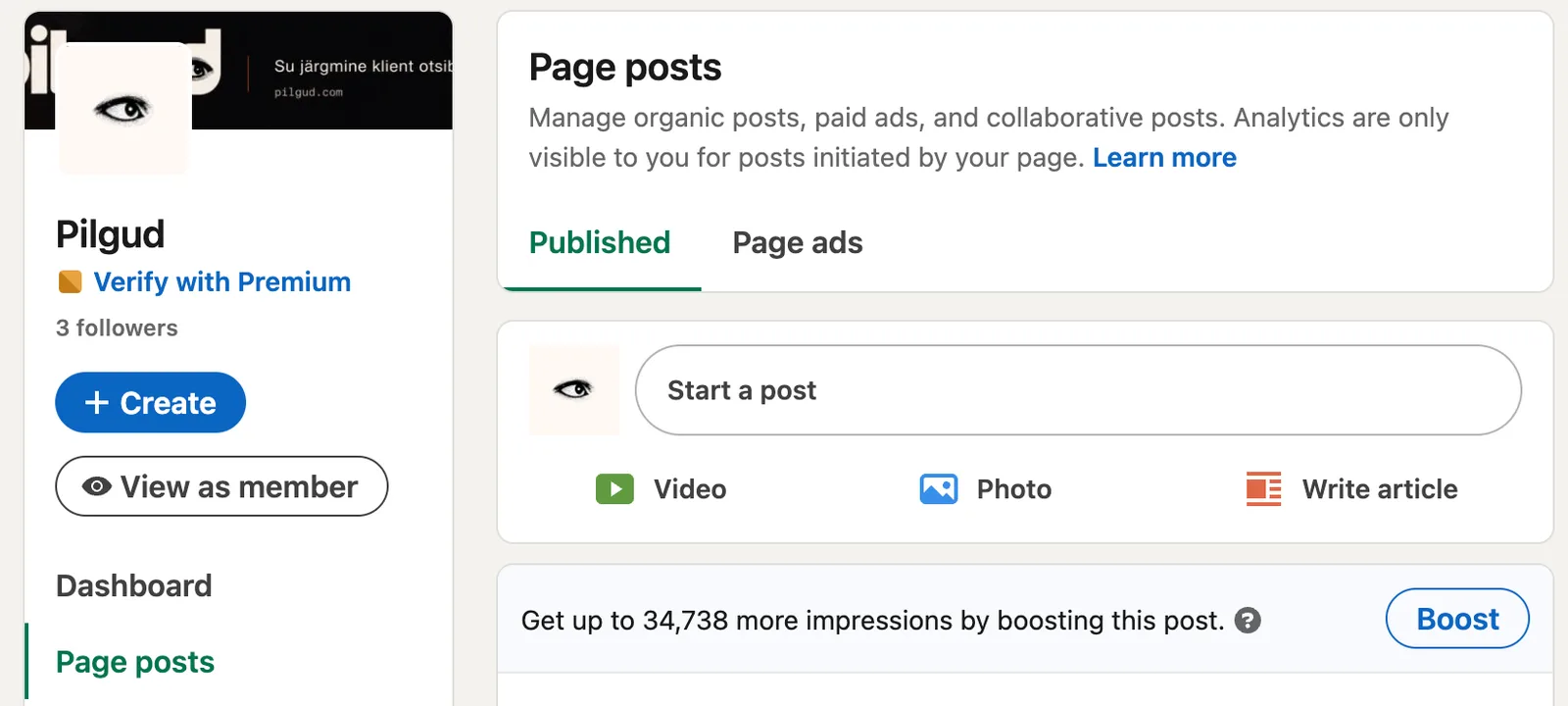
As the Page: open the Page admin view → Page posts → Start a post, paste Pilgud's text, add the picture and Post. As yourself: Start a post on the homepage. A post can have a link or a picture, not both.
3. Create an ad account (Campaign Manager)
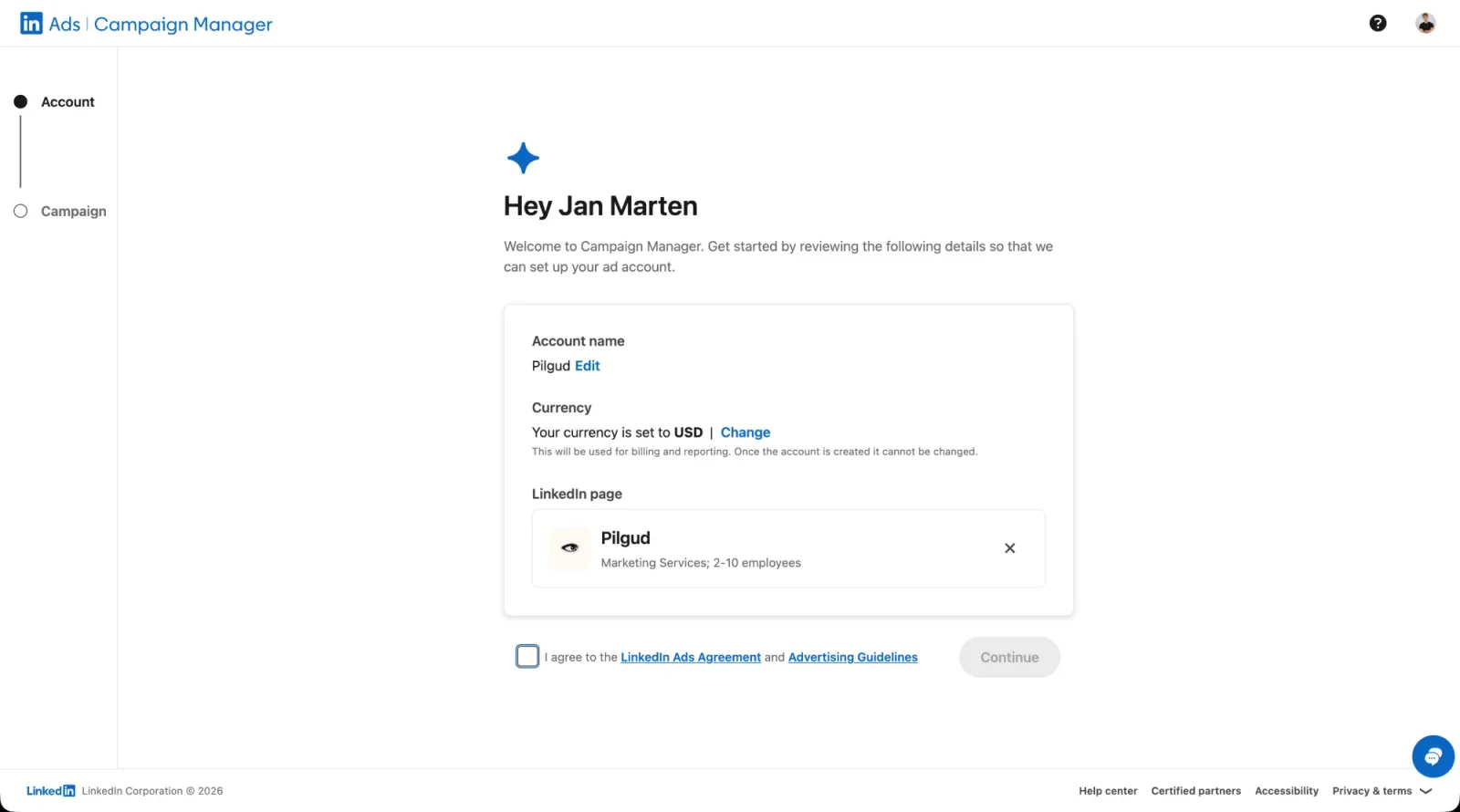
For Business → Advertise. Name the account, choose your company Page and currency, agree to the terms and click Continue. The currency cannot be changed later, so pick the one you pay in.
4. Add a credit card
In the ad account: Billing → Add payment details (later Update credit card), enter the card and Save and continue. No ad can launch without a payment method. A temporary check hold on the card clears in 5–7 business days.
5. Create a campaign and ad set
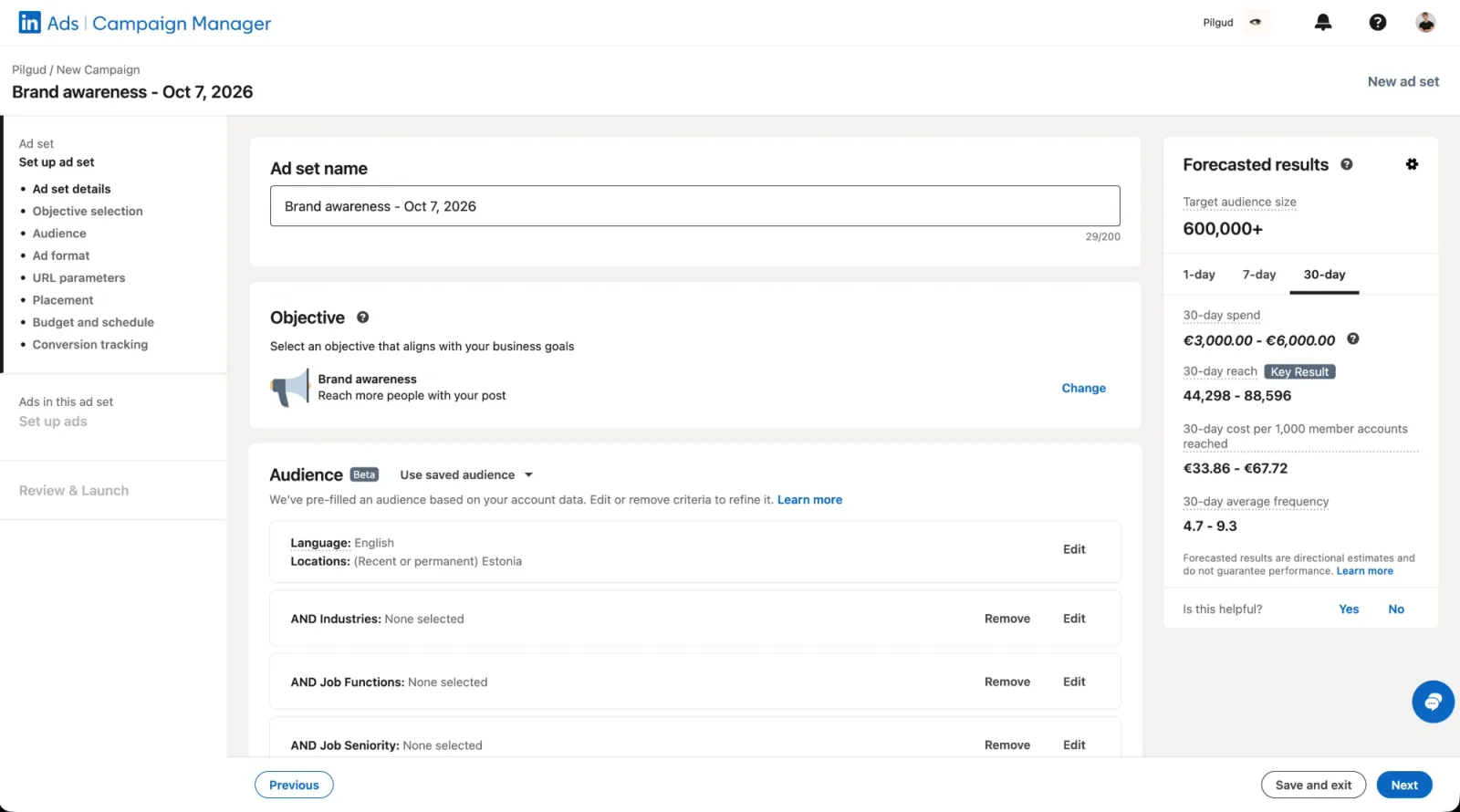
In Campaign Manager click New campaign, then an ad set (Ad set → New). Choose the objective (e.g. Website visits or Lead generation), the audience by job or industry, the Single image format, the budget and schedule.
6. Paste Pilgud's ad
Create ad → Start from a blank ad. Paste the Introductory text (Pilgud keeps it within 150 characters so it fits before "see more"), the Headline (up to 70), add Pilgud's picture, choose the button and enter your page address. Next → Launch campaign. LinkedIn usually reviews ads within 24 hours.
How much does a LinkedIn ad cost?
Creating a LinkedIn ad account costs nothing; you pay only for impressions or clicks, and the smallest daily budget is $10 per campaign. What you actually pay depends on the audience and the objective – LinkedIn is usually more expensive than Meta because it targets by job and company.
One real example: when we set up a Brand awareness campaign for Pilgud in October 2026 with a broad audience across Estonia (about 600,000 people), LinkedIn's Campaign Manager forecast €33.86–€67.72 per thousand impressions. For comparison, our Aknaässad Meta campaign paid €4.32 per thousand impressions. The audiences were different, so it isn't an exact comparison, but the order of magnitude is clear.
What it means for a small business:
- Target narrowly. Job title, industry or company size – a broad audience is the most expensive on LinkedIn.
- Start small. A few weeks at $10–20 a day shows whether your customer responds there.
- Free posts work too. A Page post costs nothing; an ad just gives it more readers.
Watch out
- A LinkedIn ad account's currency and Page cannot be changed after it is created.
- LinkedIn now names its levels: campaign → ad set → ad.
- You are charged when spend reaches a threshold, or at the start of the next month.
Stuck?
Email info@pilgud.com – a person answers.
Checked against
- LinkedIn: Create a LinkedIn Page
- LinkedIn: Post as your Page
- LinkedIn: Create an ad account
- LinkedIn: Add a credit card
- LinkedIn: Single image ad specs
- LinkedIn: Budget minimums
Menu names were checked against the platform's own help on 28.09.2026. Menus move; if yours looks different, look for the same words in the menu.

Written by
Jan Marten Sikkar is a co-founder of Pilgud. He leads strategy and advertising – the offers, the campaigns and the numbers behind them – for Pilgud’s clients and inside Pilgud Agent.
More about the team LinkedIn